> ## Documentation Index
> Fetch the complete documentation index at: https://help.creepercloud.io/llms.txt
> Use this file to discover all available pages before exploring further.
# Connecting Databases to FiveM
> here are the instructions for it!
### **EN**
## Author
* Guide by: **itz\_Secret**
* Discord: `itz_Secret`
* Hosting: [CreeperCloud](https://creepercloud.io/)
***
## 1. Creating a MariaDB Database on CreeperCloud
1. Visit [https://creepercloud.io/](https://creepercloud.io/) and log into your dashboard.
2. Navigate to the **Server Types** section.
3. Click on **MariaDB**.
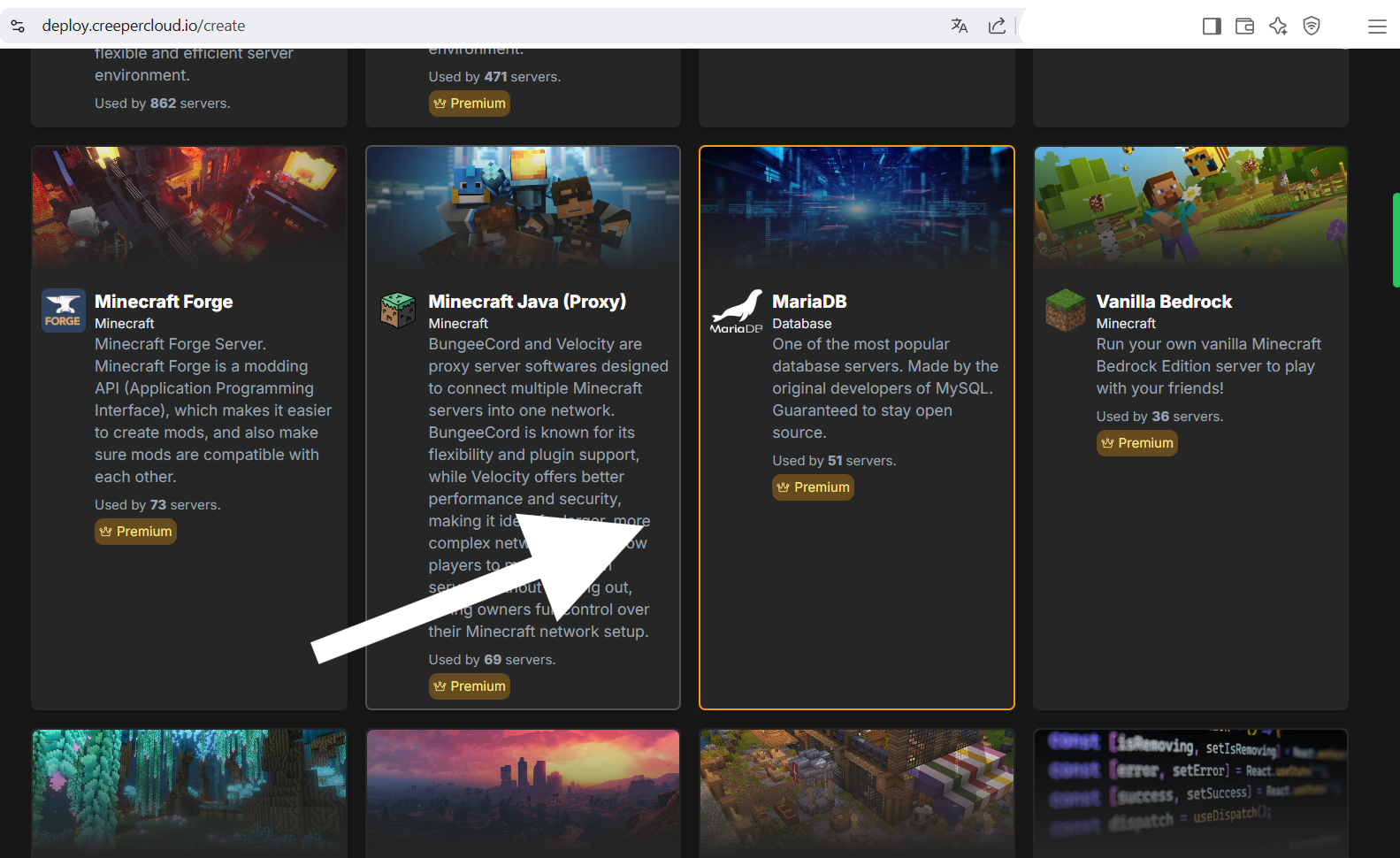 1. Set up your database with:
* Name (e.g. `fivem_db`)
* Username and password (use strong credentials)
2. Once the database is created, take note of:
* Host/IP
* Port
* Username
* Password
* Database Name
***
## 2. Connecting the Database to Your FiveM Server
1. Open your `server.cfg` file.
2. Add the following line (replace with your actual values):
```cfg
set mysql_connection_string "server=HOST;uid=USERNAME;password=PASSWORD;database=DBNAME"
```
## 3. Start the server
1. Click or Copy the ip link.
2. enter put the code configure all.
3. Enjoy !
### **ES**
## 1. Creación de una base de datos MariaDB en CreeperCloud
1. Visite [https://creepercloud.io/](https://creepercloud.io/) e inicie sesión en el panel.
2. Navegue a la sección **Crear Servidor** (create server).
3. Haga clic en **MariaDB**.
1. Set up your database with:
* Name (e.g. `fivem_db`)
* Username and password (use strong credentials)
2. Once the database is created, take note of:
* Host/IP
* Port
* Username
* Password
* Database Name
***
## 2. Connecting the Database to Your FiveM Server
1. Open your `server.cfg` file.
2. Add the following line (replace with your actual values):
```cfg
set mysql_connection_string "server=HOST;uid=USERNAME;password=PASSWORD;database=DBNAME"
```
## 3. Start the server
1. Click or Copy the ip link.
2. enter put the code configure all.
3. Enjoy !
### **ES**
## 1. Creación de una base de datos MariaDB en CreeperCloud
1. Visite [https://creepercloud.io/](https://creepercloud.io/) e inicie sesión en el panel.
2. Navegue a la sección **Crear Servidor** (create server).
3. Haga clic en **MariaDB**.
 1. Configure su base de datos con:
* Nombre (por ejemplo, `fivem_bd`)
* Nombre de usuario y contraseña (usar credenciales fuertes)
2. Una vez creada la base de datos, tome nota de:
* Anfitrión/IP
* Puerto
* Nombre de usuario
* Contraseña
* Nombre de la base de datos
***
## 2. Conectando la Base de Datos a su Servidor FiveM
1. Abre tu archivo `server.cfg`
2. Agregue la siguiente línea (reemplacelo con sus valores reales):
```cfg
set mysql_connection_string "server=HOST;uid=USERNAME;password=PASSWORD;database=DBNAME"
```
## 3. Inicie el servidor
1. Haga clic o copie el enlace de la ip.
2. ingrese, ponga el código y configura todo.
3. ¡Disfruta !��
1. Configure su base de datos con:
* Nombre (por ejemplo, `fivem_bd`)
* Nombre de usuario y contraseña (usar credenciales fuertes)
2. Una vez creada la base de datos, tome nota de:
* Anfitrión/IP
* Puerto
* Nombre de usuario
* Contraseña
* Nombre de la base de datos
***
## 2. Conectando la Base de Datos a su Servidor FiveM
1. Abre tu archivo `server.cfg`
2. Agregue la siguiente línea (reemplacelo con sus valores reales):
```cfg
set mysql_connection_string "server=HOST;uid=USERNAME;password=PASSWORD;database=DBNAME"
```
## 3. Inicie el servidor
1. Haga clic o copie el enlace de la ip.
2. ingrese, ponga el código y configura todo.
3. ¡Disfruta !��